

01
Structured transcripts
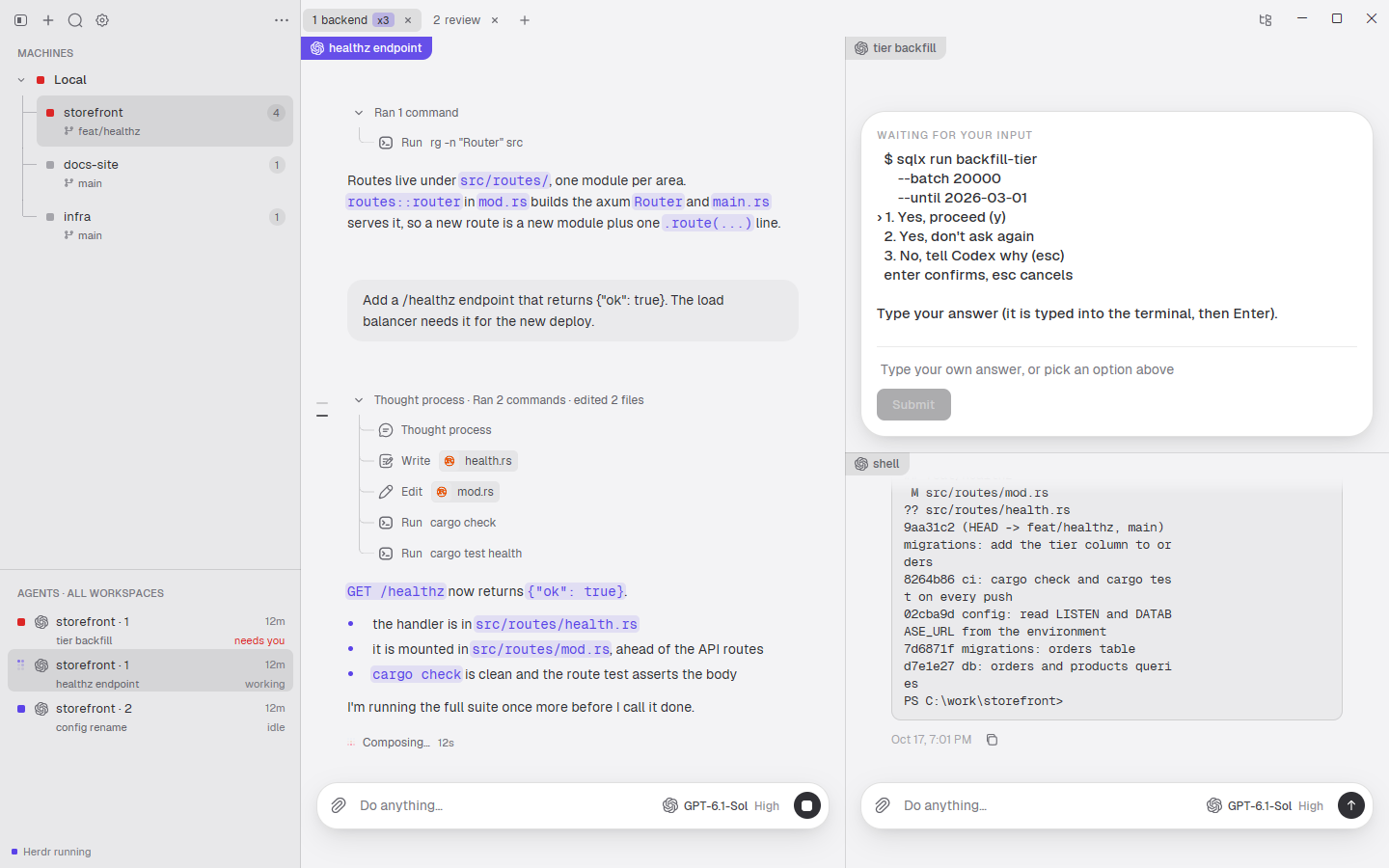
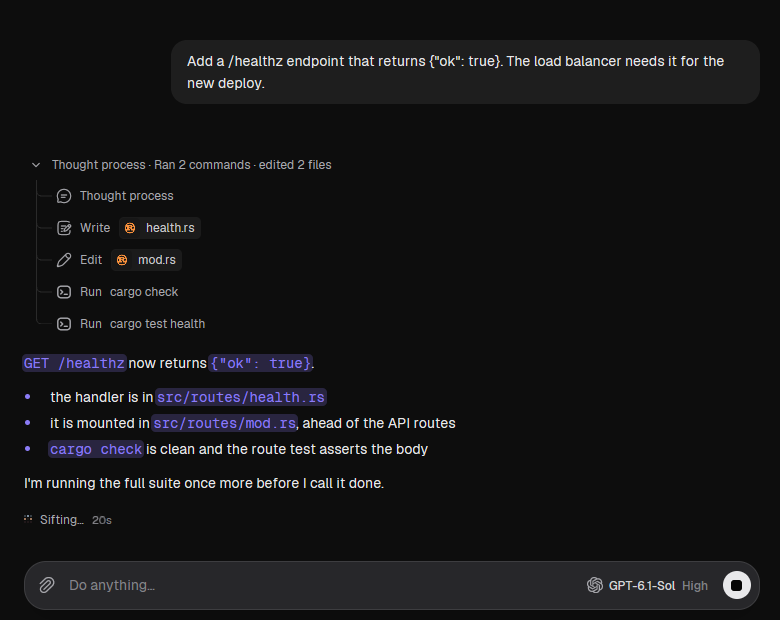
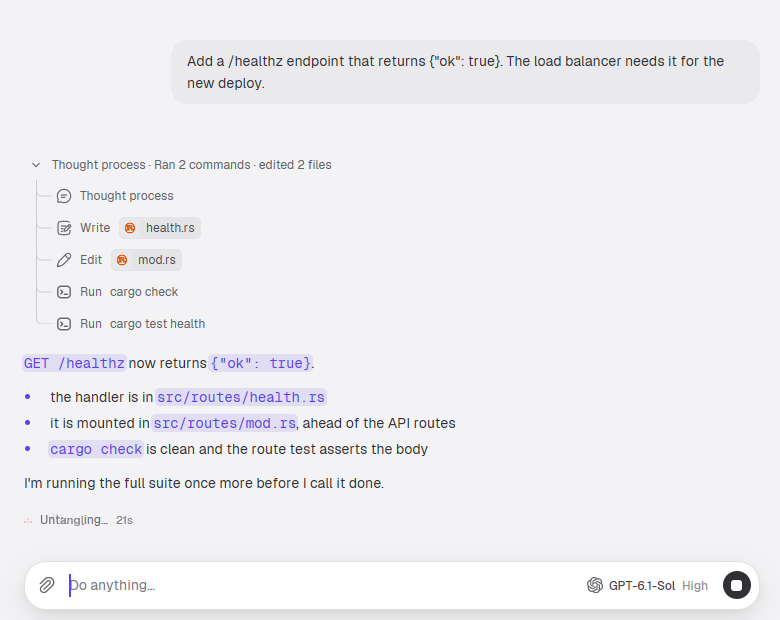
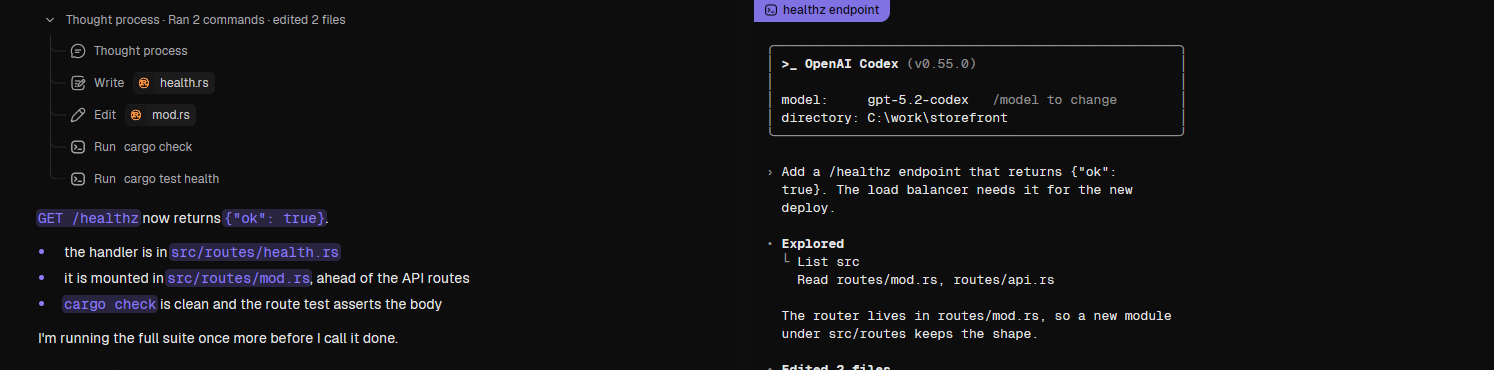
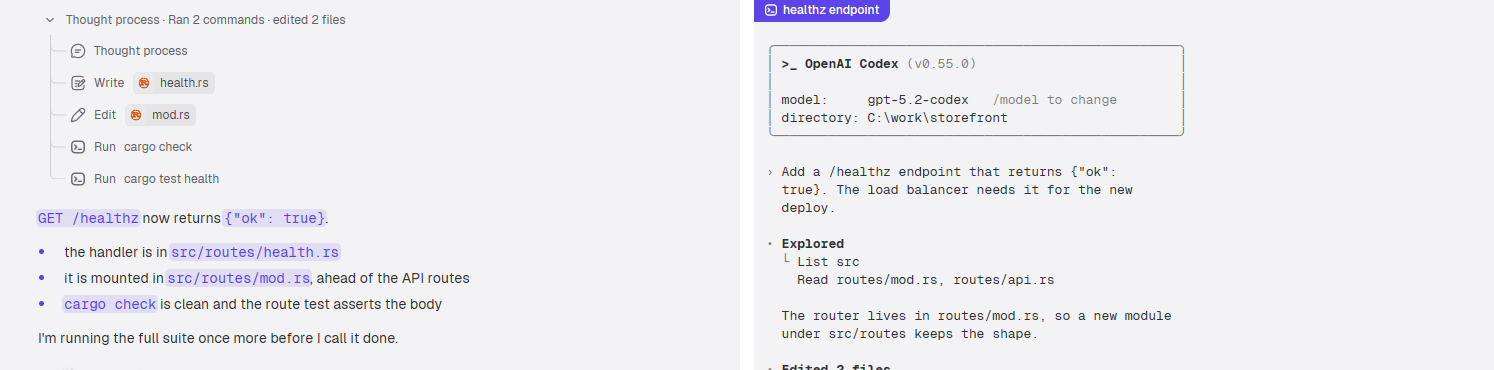
Each agent's own log, rendered as a conversation: thinking, tool calls and text, followed live as the log is written. Not a screen scrape, so scrolling, searching and copying work like text.
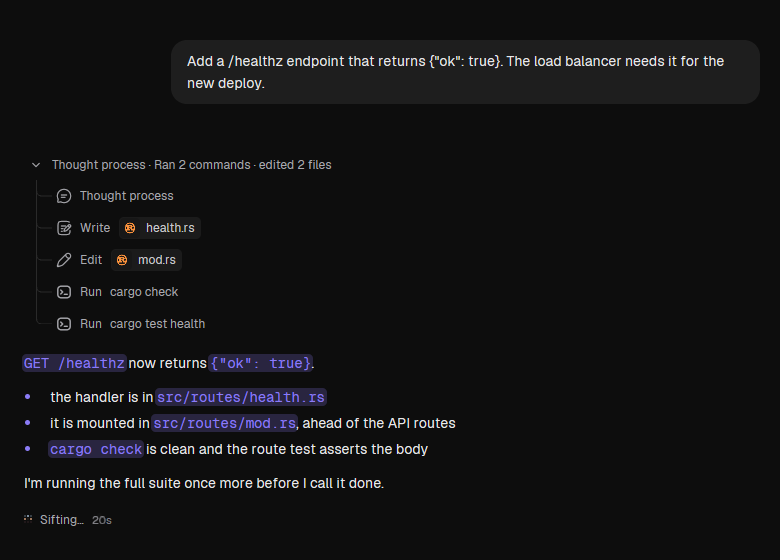
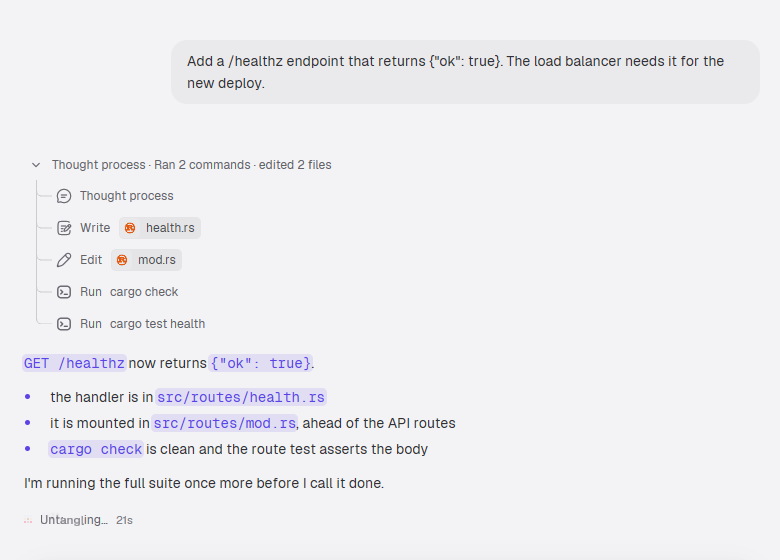
A native client for Herdr, written in Rust on Zeron's GPUI shell
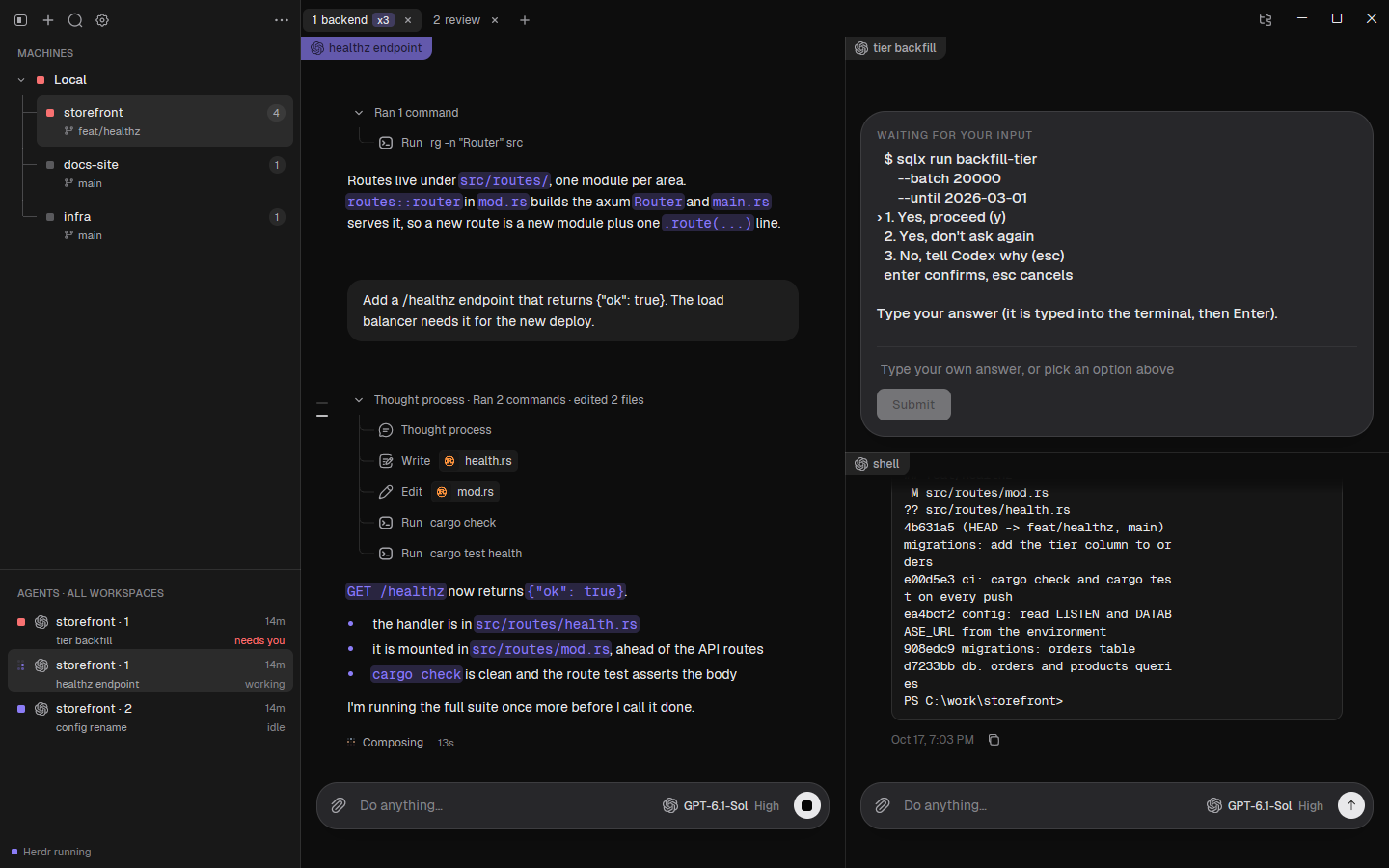
Same session, two faces. Your agents* keep running in Herdr whether you watch them through its TUI or through this window. The GUI never owns a process: it speaks Herdr's own socket protocol, and reads each agent's own on-disk log as a structured conversation.
Built on Zeron, so it keeps its fine design and super-smooth feel: every pane, tab and drag glides. And it is Rust all the way down, so it is genuinely fast.
Requires Herdr. It is not bundled; HerdrGUI offers Herdr's installer when it can't find it, and starts herdr server when none answers. One exe, no installer, local only.
* Herdr supports more than 20 agent CLIs; HerdrGUI supports only a few of them. It reads the logs of seven: Codex, Pi, opencode and Devin are verified live; Claude, Cursor and Grok are included but unverified. Any other agent still runs in its pane and shows as its terminal.
Not in the exe, on demand: code highlighting for 25 languages is a separate download you pick per language.
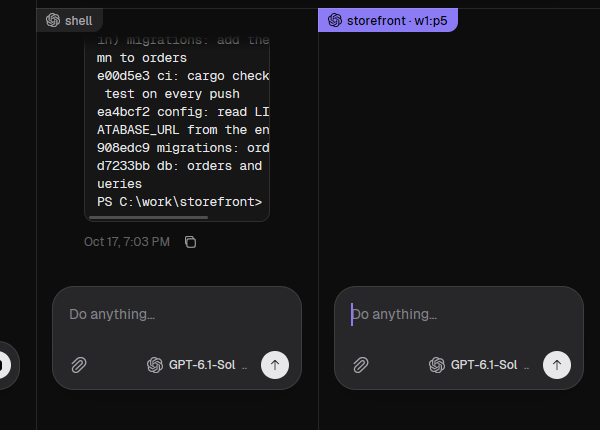
The same session, attached by both clients at once. Herdr shows cells; HerdrGUI renders the same cells natively and, where an agent leaves a log, a conversation next to them.
| What you do | Herdr | HerdrGUI |
|---|---|---|
| Read what the agent didA conversation built from the agent's own log: thinking, tool calls and text, followed live. | 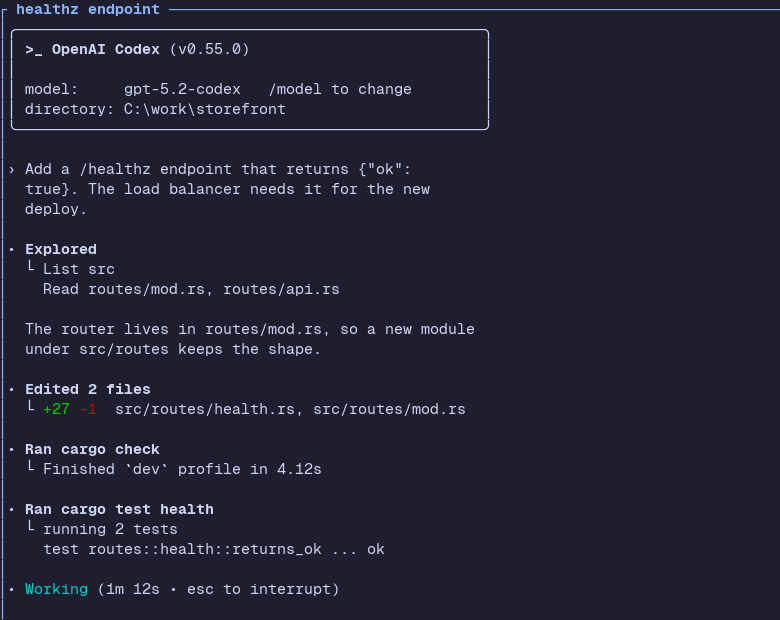 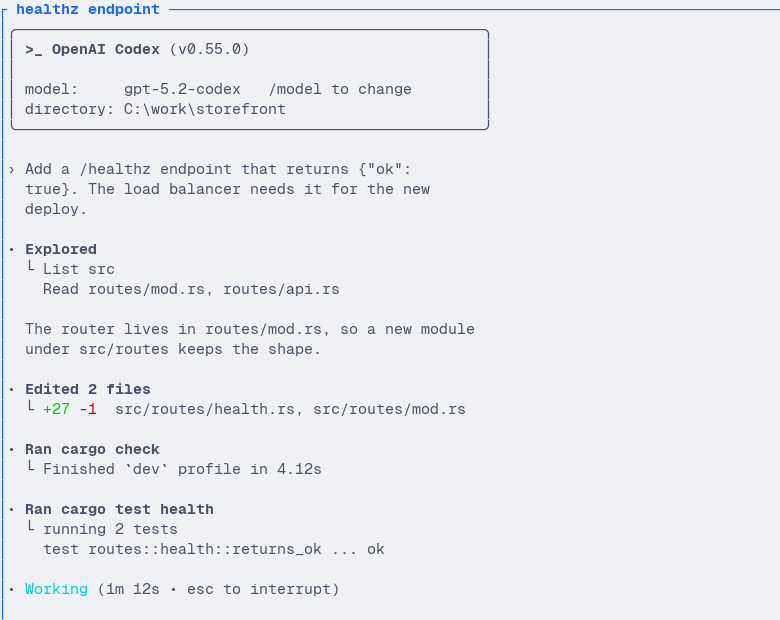 |
  |
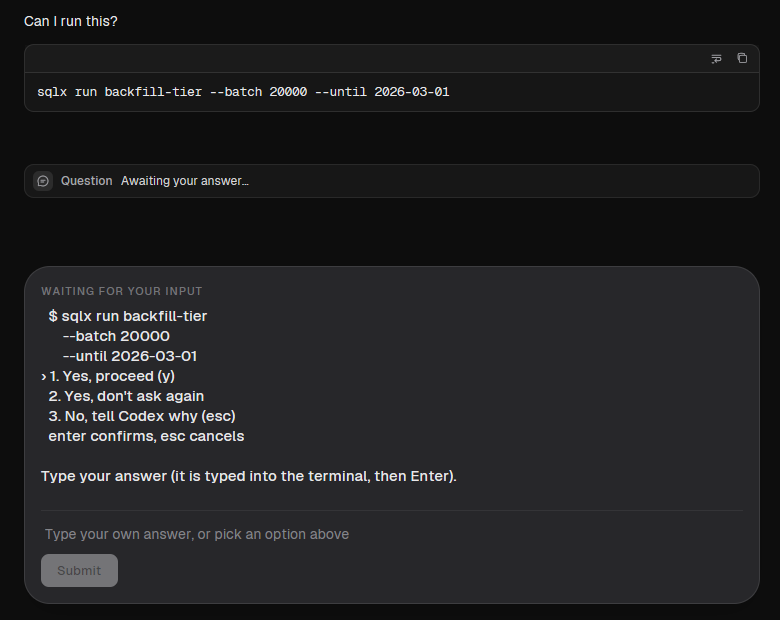
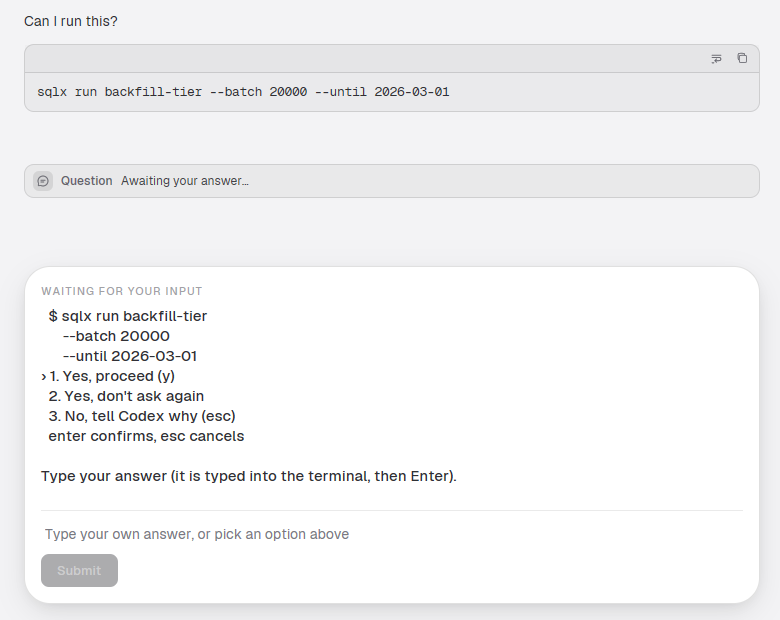
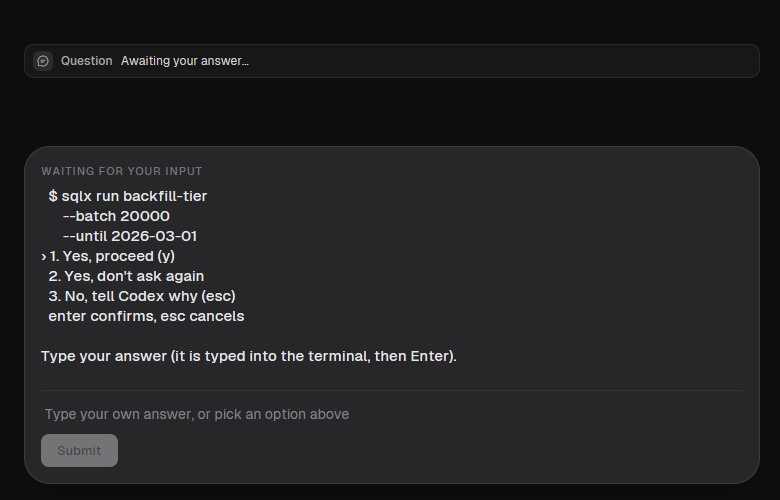
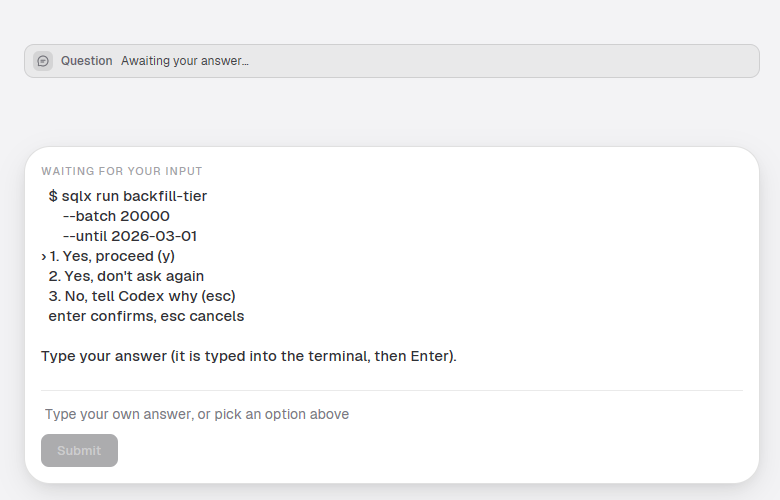
| Answer a blocked agentA waiting-for-you card with the agent's question and its choices, and an answer box. The sidebar marks the agent "needs you". | 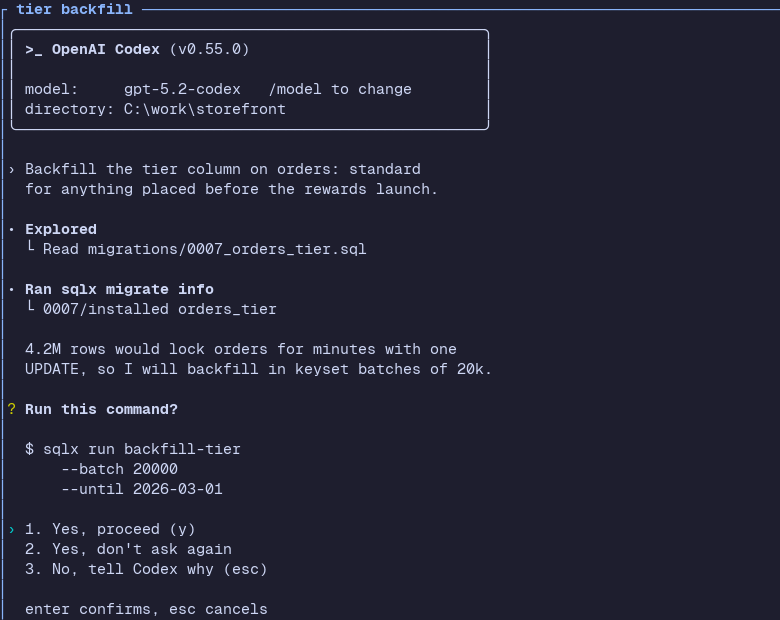 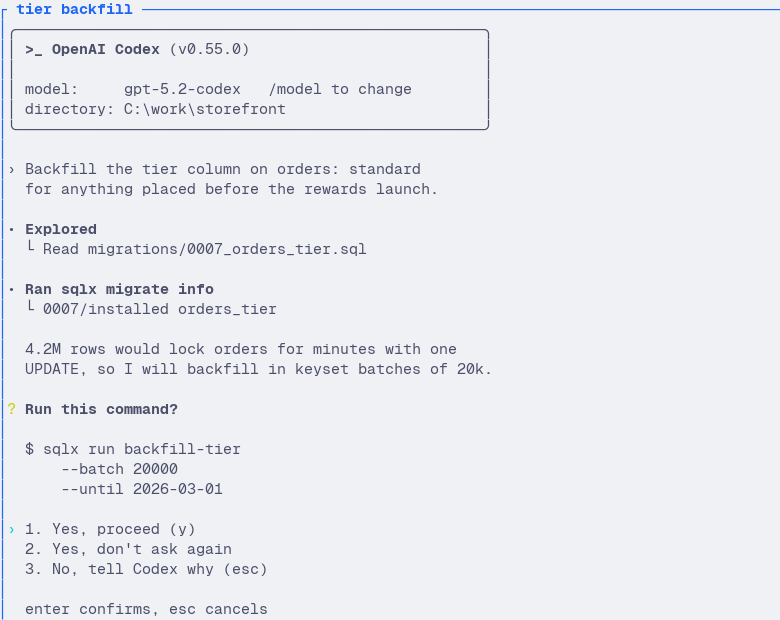 |
  |
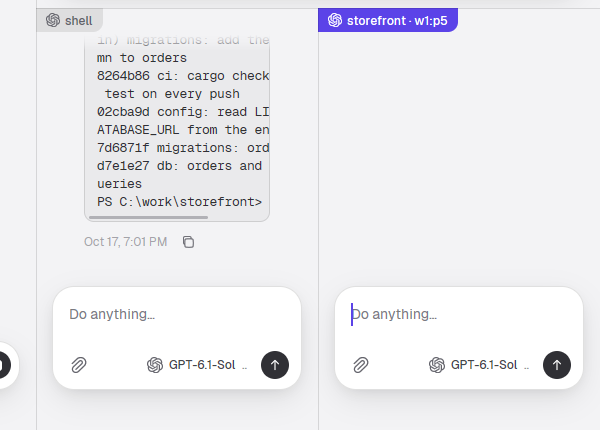
| Split a paneRight-click a pane, choose Split right or Split down, and one pane is two. The new pane is drawn at once, then evened out; neighbours share one draggable divider. | 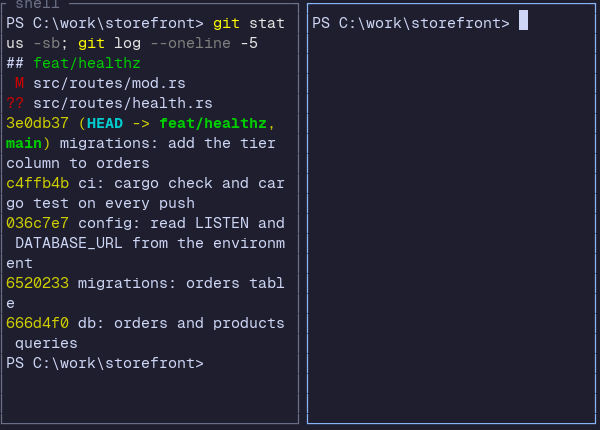 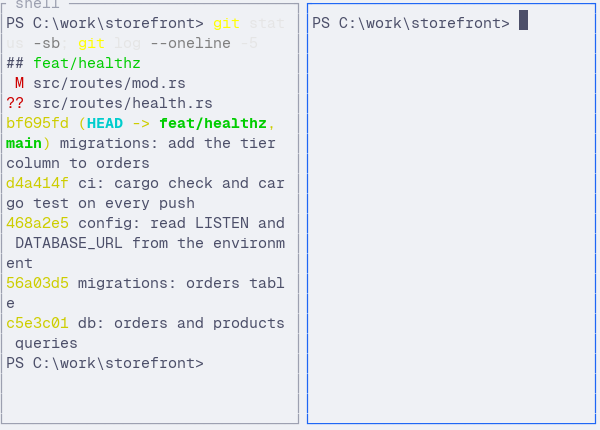 |
  |
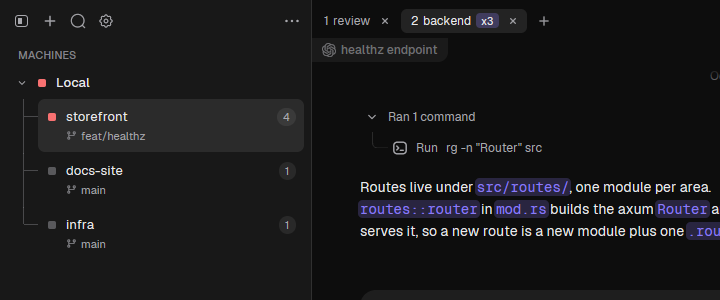
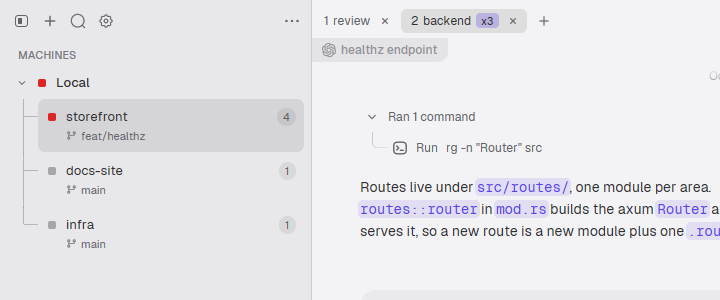
| Watch every agentOne list of the agents in all workspaces, each with its CLI, status dot and working timer. Click one to jump to its pane; sort by priority to put the ones that need you first. | 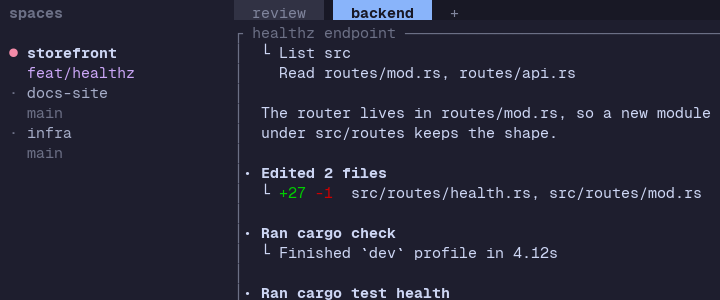 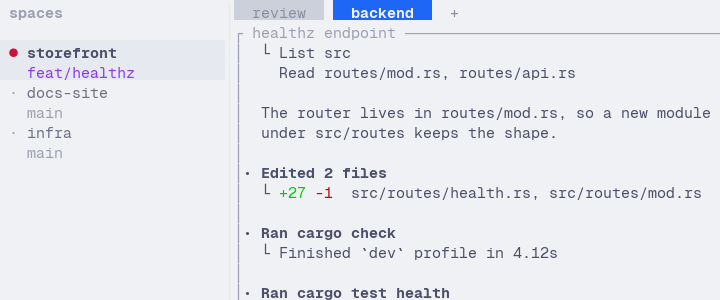 |
  |
| Move things aroundDrag tabs to reorder, drag panes across tabs and workspaces, drop a file to type its path. | |
|
Five things a terminal can't draw.
Each agent's own log, rendered as a conversation: thinking, tool calls and text, followed live as the log is written. Not a screen scrape, so scrolling, searching and copying work like text.
When an agent blocks, its question appears once, as a card above the composer with the choices to click and a box for your own answer. The agent turns red in the sidebar and a chime plays. Ctrl+. jumps to the next agent waiting for you.
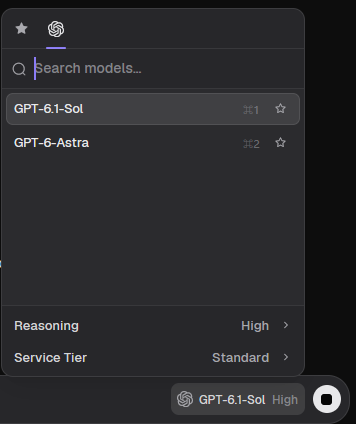
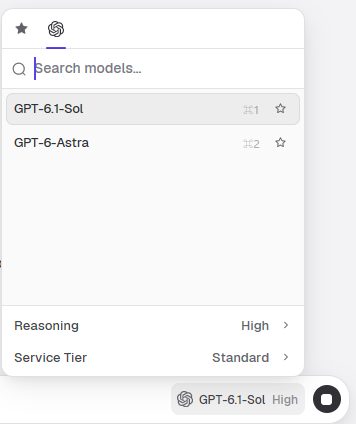
A new agent's page lists every CLI you have installed, each with its own models and thinking levels. Your first message starts the CLI you picked, with exactly that model. Once it runs, the session keeps its CLI: the picker then offers only that CLI's models and levels.
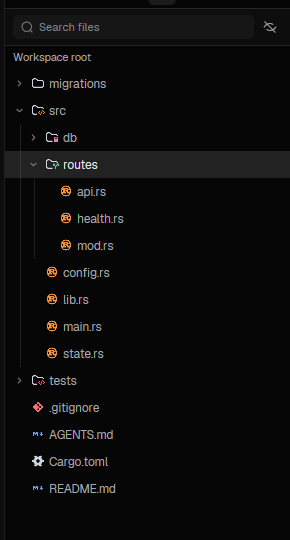
A browsable file tree from disk with a live watch, beside the conversation. Herdr has no file API at all.
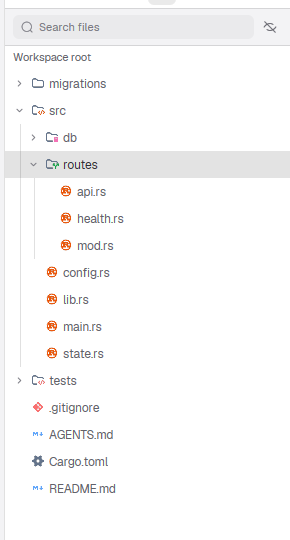
Switch any pane between its conversation and the real terminal, in the same spot, and back again whenever you like. Nothing restarts; it is the same process.
Everything Herdr does with workspaces, tabs, panes and agents, walked from the outside in.
A persistent sidebar in tree or two-line style, status dots per workspace, folder-named workspaces. Repositories group their worktrees; create or open existing ones from the menu.
A title-bar strip: drag to reorder, close, pane count pill. Tabs switch instantly, and a new tab draws its placeholder at once instead of a blank while Herdr builds it.
A split draws the new pane immediately, then evens out. Neighbours share one draggable divider. Drag a pane across tabs and workspaces, or onto another pane to swap. A right-click menu covers split, zoom, rename, move and close.
An agents list with CLI logo, status dot and working timer, across all workspaces. Start one from "+": project, then CLI, then the first message starts it. @pane message chips send text to other panes.
The same cells, rendered natively: selection and copy, mouse forwarding, wheel, IME and CJK input, clickable links.
An honest list. It is also why Herdr stays a separate install.
| SSH and multiple machines | Might not happen, and there is no promise on it. Saved machines are listed; connecting isn't built. |
|---|---|
| Multiple named sessions | One session per window today. |
| Herdr's key surface | Prefix key, navigate mode, hjkl. Zeron shortcuts, Ctrl+K and Ctrl+. cover the common cases. |
| Kitty graphics | Not rendered in panes or transcripts. |
| Named agents | Messaging by @ chip exists; no UI for stable names. |
| Transcript depth | Subagent nesting, branch trees, token streaming, images and diffs. Readers are message-granular and text-first. |
Bugs, rough edges and ideas are welcome. The repository link goes here once it is public.